WordPress & WooCommerce integration plugin for Basicrum

What does the Basicrum WordPress plugin do?
The Basicrum plugin for WordPress connects your WordPress site to a hosted or self-hosted installation of Basicrum while using the bundled open-source Boomerang library to measure and beacon what visitors experience in terms of: page loads, resources, interactions, and Core Web Vitals for each page visit.
It also adds useful context to each beacon, including browser name, page URL, and page type. Standard WordPress views are recognised, while WooCommerce stores can distinguish the shop, product, category, cart, checkout, payment, success, and account journeys. That makes it easier to ask targeted questions about the pages that matter to your visitors and customers.
Plugin setup
Installation
The latest version of the Basicrum WordPress plugin is available from the releases section in our GitHub repository — https://github.com/basicrum/basicrum-wordpress/releases.
The plugin is currently under review by the WordPress team. We expect it to be listed in the WordPress.org plugin directory soon.
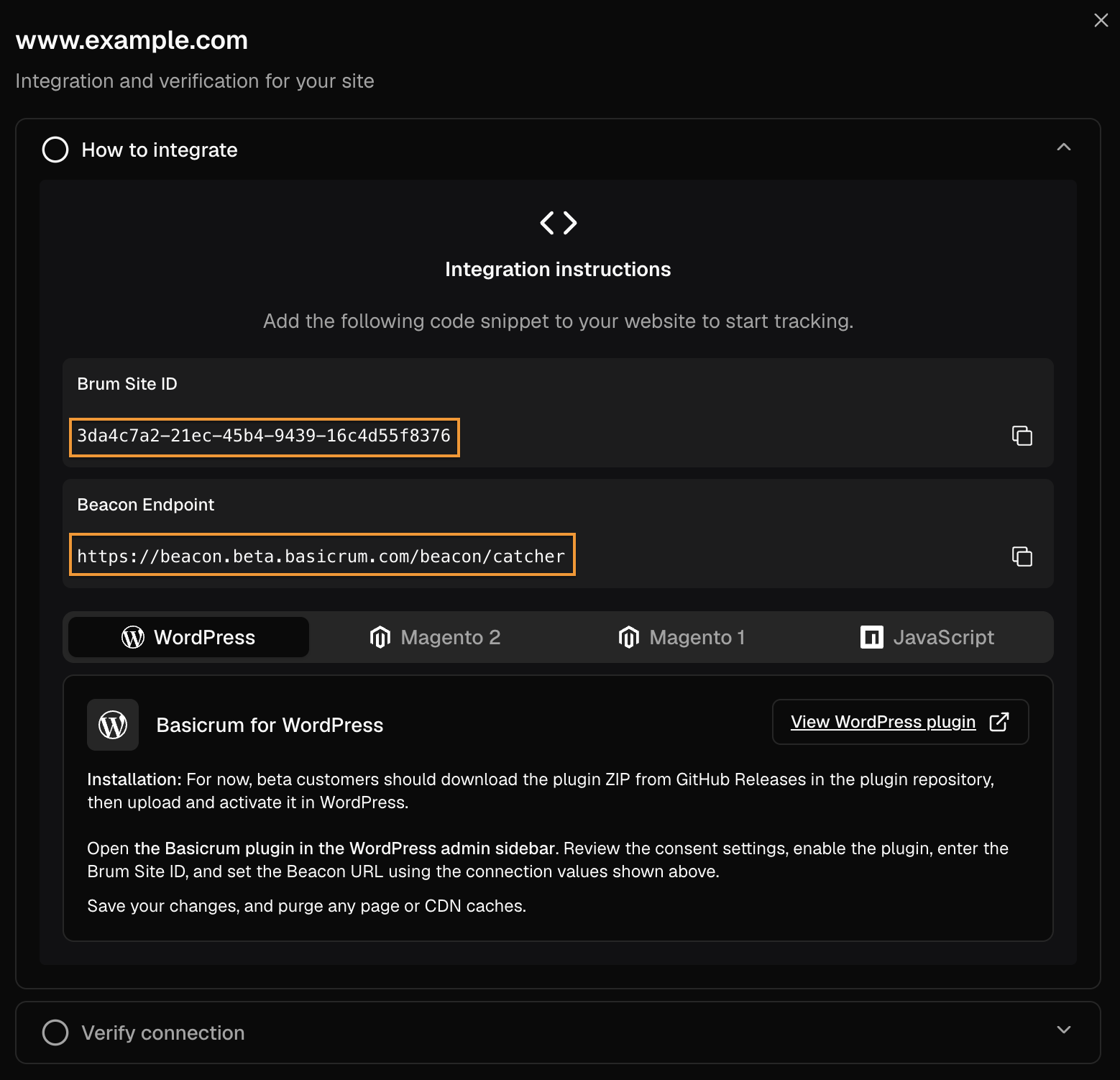
Acquire Basicrum collector details
To send data to a Basicrum installation, enter the following details in the WordPress plugin settings:
- Beacon URL
- Brum Site ID
Basicrum beta users can retrieve both settings from the Basicrum portal at https://app.beta.basicrum.com/.
During the public beta, create your account from the Basicrum signup page before configuring the plugin.
Go to: Account → Settings → Sites → click “Add Site” button or choose an already existing site.
Enable Basicrum in WordPress
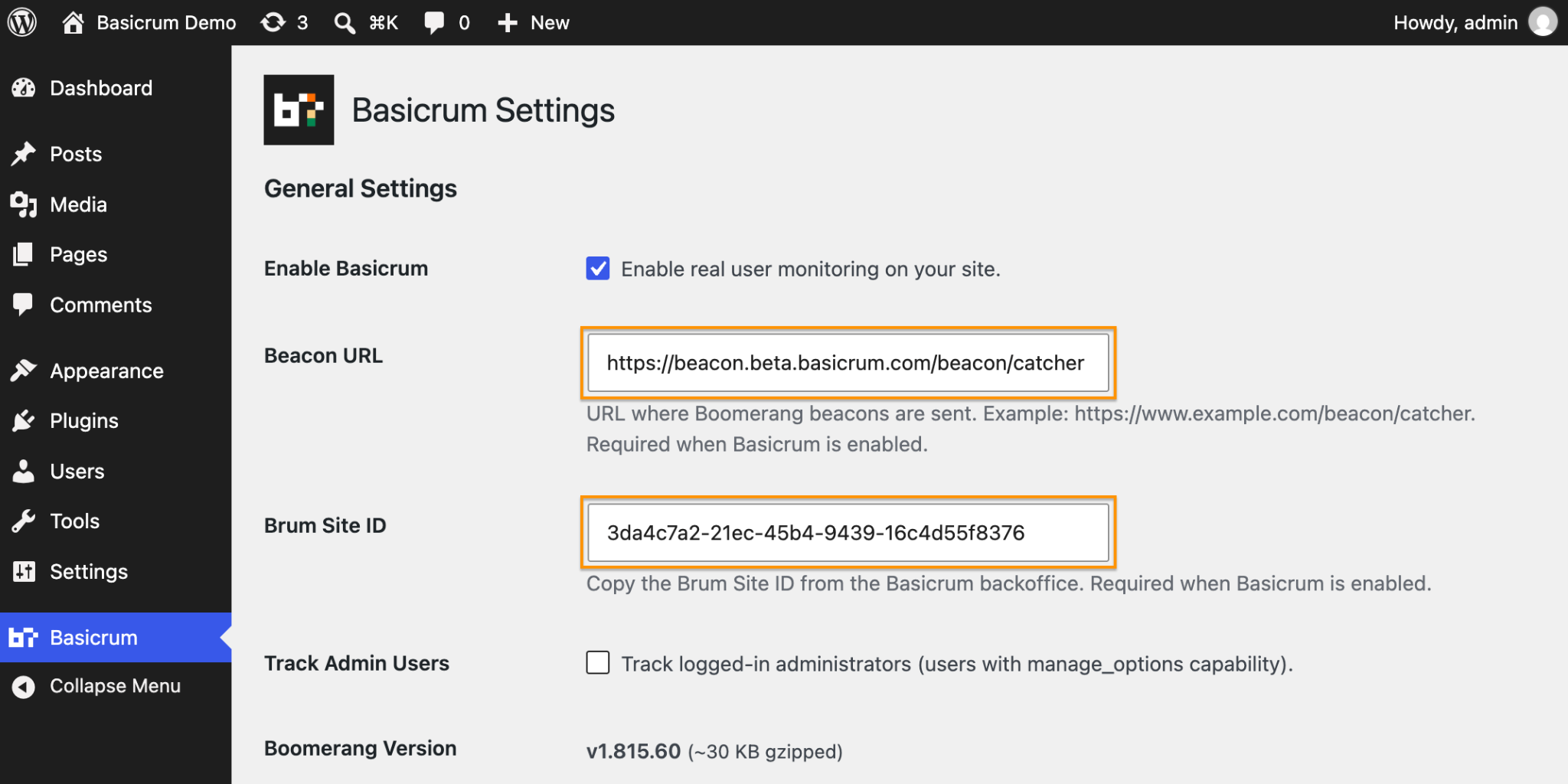
Open Basicrum from the WordPress admin sidebar, enable monitoring, and add the Beacon URL and Brum Site ID supplied for your site.
Connect your consent tool (optional)
For new installations, Basicrum keeps data collection and cookie creation disabled until a visitor's consent is provided. This is the recommended mode and is the default because we don't want website owners to unknowingly allow the creation of cookies and data sending before they complete their consent setup.
For example, after visitor consent is given, the Boomerang JS library (Basicrum's in-browser data-collection library) loads, creates the RT cookie, and sends data to the Basicrum collector.
A visitor also has the option to explicitly opt out of being monitored with Basicrum while browsing a WordPress/WooCommerce website. In such a case, any cookies previously created by Boomerang JS will be removed, and the Boomerang JS library will become inactive.
Use “Monitor without consent” only when the site owner has confirmed that prior consent is not required for the site.
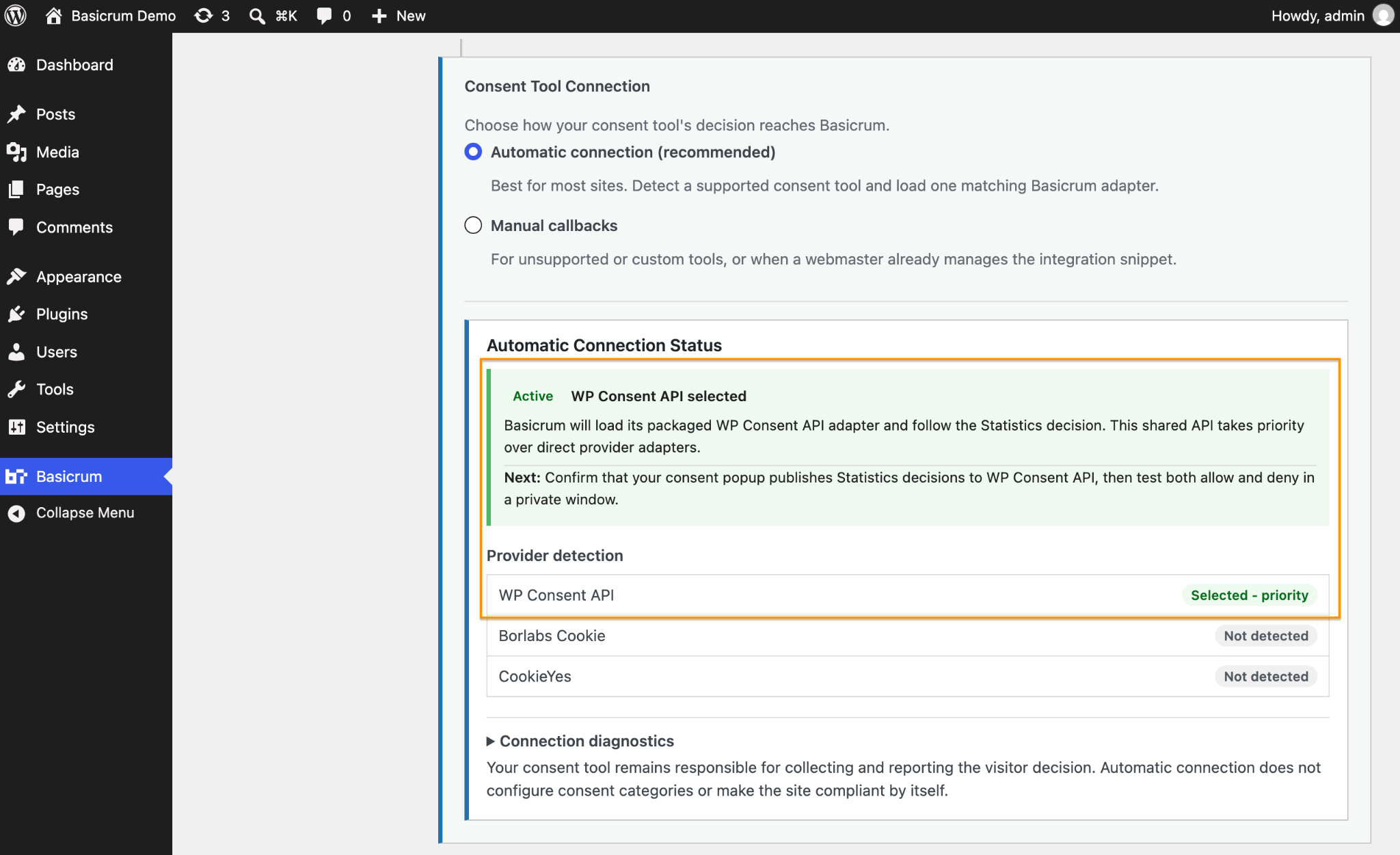
Automatic consent tool detection
When “Require consent before monitoring (recommended)” is active, Basicrum uses Automatic Connection mode and attempts to detect and integrate with these popular WordPress consent solutions:
In the example below the Basicrum WordPress plugin detected the “WP Consent API” plugin.
Manual consent instrumentation
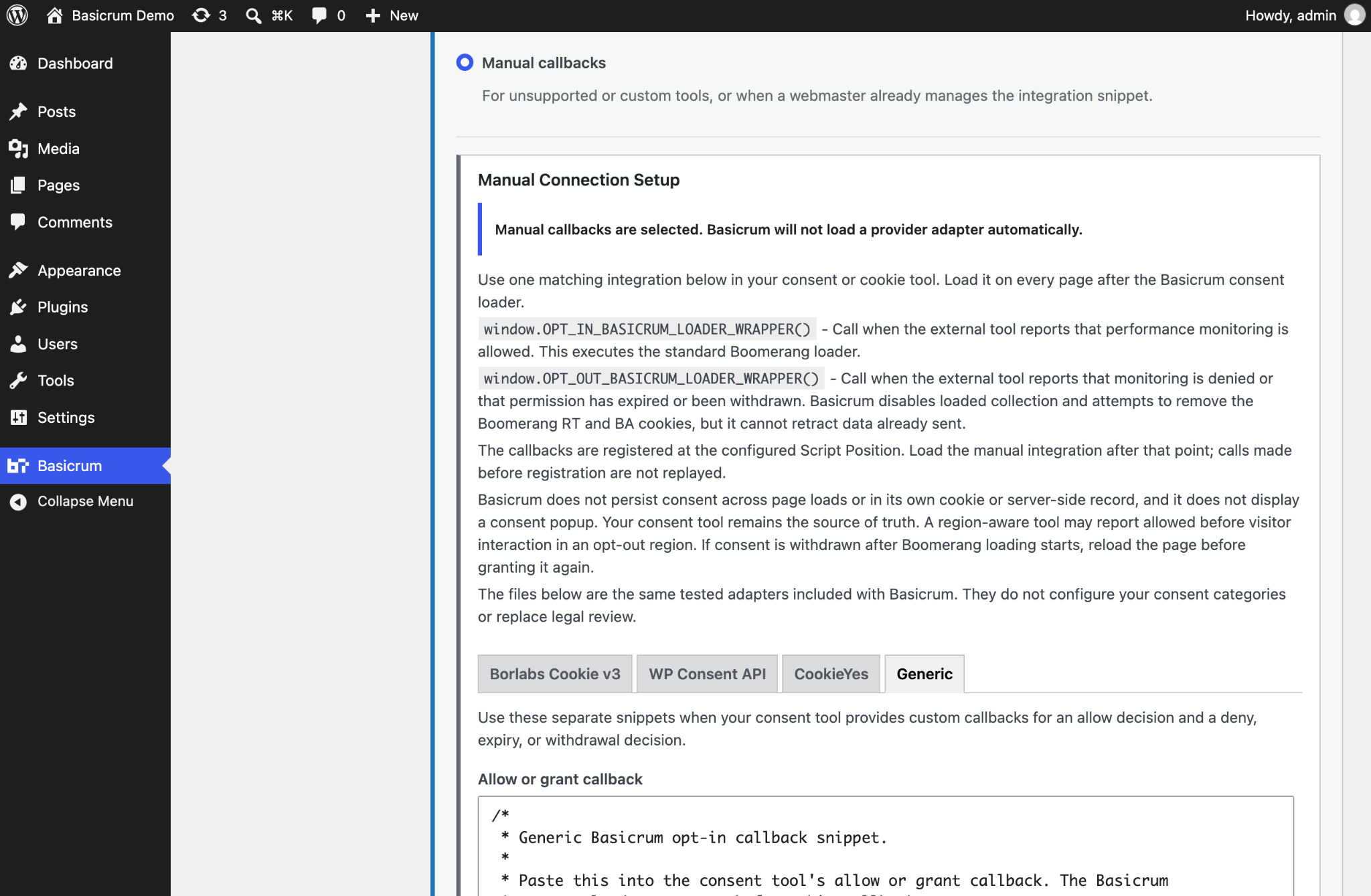
The manual instrumentation allows website owners with a custom consent tool to call the required JavaScript callbacks according to the visitor's consent choice:
- opt-in: JavaScript callback —
window.OPT_IN_BASICRUM_LOADER_WRAPPER() - opt-out: JavaScript callback —
window.OPT_OUT_BASICRUM_LOADER_WRAPPER()